
Setting the clock on your Bosch oven might seem like a small task, but it’s essential for keeping your cooking on track and ensuring timers work perfectly. If you’ve ever struggled with a flashing clock or didn’t know how to adjust the time after a power outage, you’re not alone.
Luckily, setting the clock on a Bosch oven is straightforward once you know the right steps. In this guide, you’ll learn exactly how to set your Bosch oven clock quickly and easily, so you can focus on what really matters—cooking delicious meals without any hassle.
Keep reading, and you’ll have your oven’s clock set like a pro in no time!
Bosch Oven Clock Types
Bosch ovens come with different clock types. Each model has a unique way to set the time. Knowing your oven’s clock type makes setting the time easier. This section explains the main Bosch oven clock types.
Digital Display Models
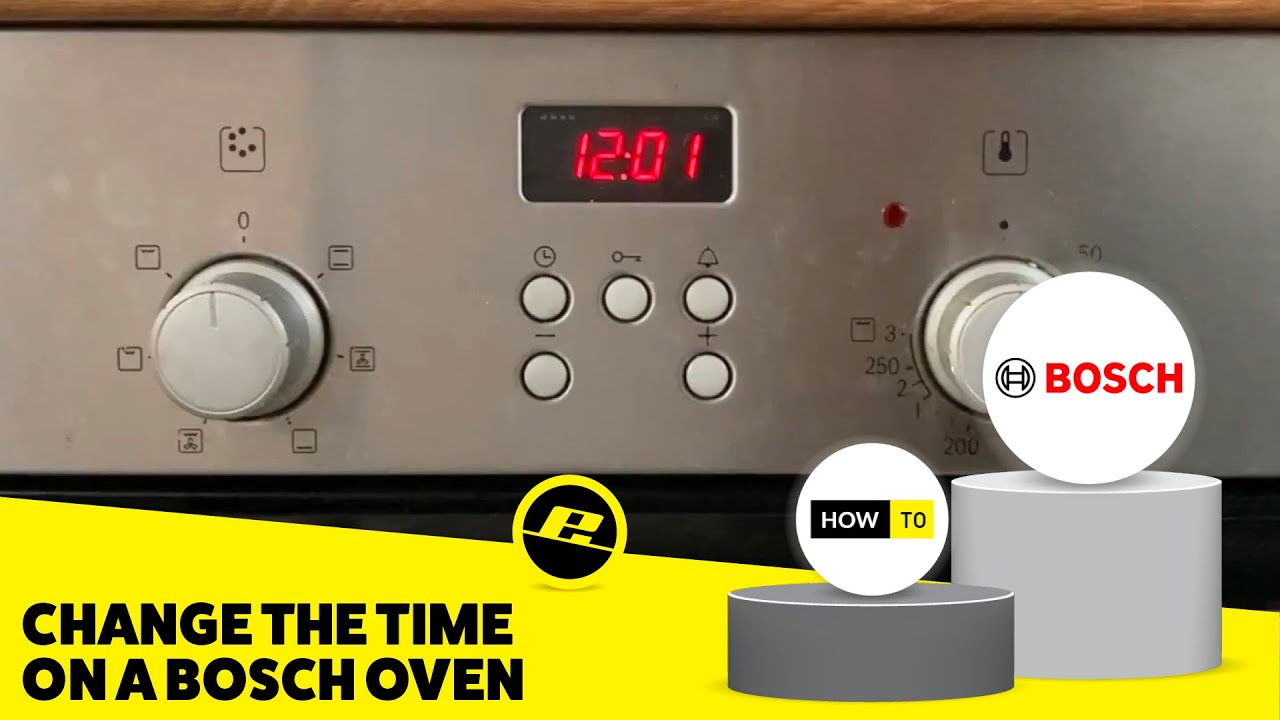
These models have a digital screen showing the time. To set the clock, press the clock button twice. The time digits will start flashing. Use the plus and minus buttons to change the hour and minutes. Press the clock button again to save the time. The display stops flashing, showing the correct time.
Rotary Selector Models
This type uses a dial or rotary selector to set the clock. First, press the clock button once. Then turn the rotary dial to change the time. Turn it until the correct hour and minute appear. Press the clock button again to confirm and lock the time. The clock is now set and ready.
Info Button Models
Some Bosch ovens use an “Info” button to set the clock. Press the Info button to access the clock settings. Use the plus and minus buttons to adjust the time. After setting the correct time, press the Info button again to save it. The clock display returns to the normal time view.

Credit: www.reddit.com
Preparing To Set The Clock
Before setting the clock on your Bosch oven, some simple steps help ensure accuracy. Preparing the oven properly makes the process quick and smooth. Follow these tips to get started.
Turning Off The Oven
Make sure the oven is completely off. A running oven may prevent clock changes. Turn the oven knob to the “Off” position. Check the display to confirm it shows no active cooking mode.
This step avoids interference with the clock setting process. It also keeps you safe from accidental heat. Wait a few seconds to let the oven fully power down.
Locating The Clock Button
Find the clock button on your Bosch oven control panel. It often shows a clock icon or says “Clock.” Some models have a dedicated button, while others share it with a timer or settings.
Check the user manual if you cannot spot it easily. Pressing this button starts the clock setting mode. This lets you adjust the time with the controls.
Setting Time On Digital Display
Setting the time on a Bosch oven digital display is simple and quick. This feature helps you keep track of cooking times and ensures your meals are perfectly timed. The digital clock also controls timers and other oven functions. Understanding the basic steps makes using your Bosch oven easier.
Pressing The Clock Button
Start by making sure the oven is off. Locate the clock button on the control panel. Press the clock button once or twice, depending on your model. The time display will start flashing, signaling you can set the time. If your oven uses a rotary dial, press the clock button once to enter time setting mode.
Adjusting Hours And Minutes
Use the plus (+) and minus (−) buttons to change the hour. Press the plus or minus until the correct hour appears. Then, adjust the minutes the same way. For ovens with a rotary dial, turn the dial to increase or decrease the hour and minutes. Take your time to set the exact time shown on your watch or phone.
Confirming The Time
After setting the hour and minutes, press the clock button again. This action saves the time and stops the display from flashing. Your Bosch oven clock is now set. The display will show the current time steadily. You can now use timers and other time-based functions properly.
Credit: www.youtube.com
Adjusting Time On Rotary Dial
Adjusting the time on your Bosch oven using the rotary dial is straightforward. This method is common on models with a rotary selector. It lets you quickly set the clock without using multiple buttons. Follow the steps carefully to ensure the time is accurate. This helps your oven’s timer and cooking functions work correctly.
Activating Clock Mode
First, make sure the oven is off. Press the clock button once. The display will start flashing or show the current time. This means the clock mode is active. You can now adjust the time using the rotary dial.
Using The Rotary Dial
Turn the rotary dial to change the time. Rotate it clockwise to increase hours or minutes. Turn it counterclockwise to decrease them. Adjust the time until the correct hour and minute appear on the display. Take your time to get it right.
Saving The Settings
After setting the time, press the clock button again. This saves the new time to the oven’s memory. The display will stop flashing, showing the steady clock time. Your Bosch oven is now set to the correct time and ready to use.
Using The Info Button To Set Clock
Using the Info Button to set the clock on your Bosch oven offers a simple and quick way to adjust the time. This method works well for many Bosch models with digital displays. The Info button gives you direct access to the clock settings without complex menu navigation. Follow the steps below to set your oven clock easily.
Accessing Clock Settings
Start by making sure the oven is off. Press the Info button once. The display will show clock settings or the current time flashing. This indicates the clock is ready to be set. If the display does not change, try pressing the Info button again. Wait a few seconds for the clock setting mode to activate.
Navigating The Menu
Use the + and – buttons to adjust the hour first. Press + to increase the time, or – to decrease it. After setting the hour, press the Info button again to move to minutes. Adjust the minutes using the + and – buttons. The display will update as you make changes. Take your time to set the exact time.
Saving Changes
Once the correct time shows, press the Info button one last time. The display will stop flashing, confirming the new time is saved. Your Bosch oven clock is now set and ready to use. If the time is incorrect, repeat these steps to adjust it again.

Credit: www.reddit.com
Switching Between 12-hour And 24-hour Format
Switching between 12-hour and 24-hour time formats on your Bosch oven helps you customize the clock display. This setting lets you choose the format that fits your daily routine best. The process is quick and straightforward, requiring just a few button presses. Follow these steps to set your preferred time format accurately.
Entering Time Format Mode
First, ensure the oven is off. Press the clock button once to enter the clock setting mode. Wait until the time display starts to blink. If needed, press and hold the clock button for a few seconds to access the time format settings. The display will show either “12H” or “24H,” indicating the current format. This confirms you are in the right mode to switch the time format.
Selecting Desired Format
Use the + or – buttons to toggle between the 12-hour and 24-hour options. Press the + button to move from 12H to 24H or the – button to go back. Once your desired format is displayed, press the clock button again to confirm your choice. The oven will save this setting, and the clock will show the time in the chosen format. This method works on most Bosch oven models for easy customization.
Troubleshooting Common Clock Issues
Clock issues on Bosch ovens can disrupt your cooking schedule. Common problems include flashing clocks, missing buttons, or needing a reset. Understanding how to fix these helps keep your oven running smoothly.
Each problem has a simple solution. Follow the easy steps to troubleshoot your Bosch oven clock.
Flashing Clock After Power Outage
A power outage may cause the clock to flash. This signals the oven lost its time setting. Press the clock button once to stop the flashing. Then set the correct time using the + and – buttons. Confirm by pressing the clock button again. This restores the clock display.
Missing Clock Button
Some Bosch ovens do not have a dedicated clock button. Check for a symbol that looks like a clock or timer. Press that button twice to enter clock setting mode. Use the + and – buttons or the rotary dial to adjust the time. Press the same button again to save your settings.
Resetting The Clock
Resetting clears any errors and restores the default clock. Turn the oven off. Hold down the clock or timer button for about 10 seconds. The display will clear or show zeroes. Release the button and set the correct time. This process refreshes the clock and fixes minor glitches.
Tips For Maintaining Accurate Oven Time
Keeping your Bosch oven clock accurate helps ensure your cooking times are precise.
Accurate time means your meals will cook properly without guesswork.
Simple habits can keep the clock running correctly and avoid errors.
Regularly Checking The Clock
Check the oven clock often to confirm it shows the right time.
Set a weekly reminder to glance at the clock display.
Adjust the time promptly if you notice it is off by minutes.
Small time errors can affect cooking results over longer periods.
Dealing With Power Interruptions
Power outages reset the oven clock to zero or a default time.
After a power cut, reset the clock immediately to maintain accuracy.
Keep the Bosch oven manual handy to follow reset steps quickly.
Consider using a surge protector to protect your oven from electrical issues.
This reduces the chance of sudden clock resets during outages.
Frequently Asked Questions
How Do I Change The Clock On My Bosch Oven?
To change the clock on your Bosch oven, ensure it is off. Press the clock button twice. Use + and – buttons to set time. Press the clock button again to confirm. For rotary models, press clock, turn dial to adjust, then press clock to save.
How To Change Digital Clock On Oven?
To change the digital clock on your oven, press the clock button twice. Use the + and – buttons or rotary dial to set the time. Press the clock button again to confirm. For models with an “i” button, navigate to clock settings and save by holding the button.
What Model Is My Bosch Oven?
Find your Bosch oven model number on the rating plate, typically located around the door frame or inside the oven cavity. Use Bosch’s online type plate finder for help.
Is There A Reset Button On A Bosch Oven?
Bosch ovens do not have a dedicated reset button. To reset, turn the oven off, then adjust settings manually or power cycle the unit.
Conclusion
Setting the clock on your Bosch oven takes only a few simple steps. Make sure the oven is off before you begin. Use the clock button or rotary dial, depending on your model, to adjust the time. Confirm your setting by pressing the clock button again.
A flashing clock usually means the power was interrupted. Just reset the time following the same process. Keeping your oven clock accurate helps with perfect cooking and timely meals. Now, you can confidently set the clock anytime you need.